Congratulations on your purchase of your PLAY AAC!
We hope this will be the start of a wonderful journey maintaining and enriching communication with your loved one whatever the circumstances.
Whether your goal is to help your child become a verbal communicator, to enable your teen with Down syndrome to develop his or her independence, or provide your partner who just suffered a stroke with a temporary means to communicate, the PLAY AAC is for you!
Please remember! Just like learning to talk doesn't happen overnight, neither does the ability to effectively use a communication device! This journey requires patience, trial and error, and creativity! With persistence, your PLAY AAC will become an integral part of your lives, facilitating communication with your loved one.
Finally, it's a good idea to remember to periodically update the messages on your PLAY AAC over the course of time. Indeed, communication needs evolve according to each person's life experiences, developing abilities and communication contexts. Over time, you will be able to modify and perfect the formulation of the messages for each of the 12 icons. As people's communication requirements evolve, so too must your PLAY AAC!
Step one: Recording your first message!
You have your new PLAY AAC in your hands. It's already charged and ready to go! Follow these 3 steps to record your first message:
- Notice the orange sliding button on the side of your PLAY AAC? Slide it into the "REC" position.
- Now, select the button of your choice and press it once. See the blue light? Start talking to record your first message!
- Press your selected button again to end your recording.
Now, slide the orange side button into the "PLAY" position. Press your selected button and listen!
If you don't like your message, you can do it again! Simply follow those same steps once more.
If you do like your message, you can proceed to add messages to the other buttons following the same steps!
Recording your messages with your PLAY AAC as easy as 1, 2, 3!
Step two: Getting acquainted with your PLAY AAC
On the spur of the moment, try to think of some useful or funny things to record on the other buttons of your PLAY AAC.
If your child has autism, try to think what words grab his/her attention. If you have a youth with Down syndrome, think up sentences that would make his/her life easier when he/she is in communication situations without you. If it's for your husband or your wife who has just had a stroke, maybe you can record some sentences you'd like him/her to be able to say so he/she can make requests to meet personal needs or to express preferences.
You know your loved one best! For the first few days, just play around with your PLAY AAC and try to figure out what works best for you.
Step three: Selecting your messages!
You have now spent several days getting to know your PLAY AAC. Your loved one has started using some of the buttons. You have changed some of the messages several times as you've discovered which messages needed reformulating, which were not necessary, and which needed to be replaced, based on your communication experiences and opportunities.
Take a look at the AAC PLAY Message Ideas below, organized by theme. We hope they will inspire ideas on how to customize your PLAY AAC for your loved one's specific needs. Use the numbered spaces on your PLAY AAC to plan out your 12 chosen messages.
Step four: Selecting and printing your icons!
Use the PLAY AAC Label Maker App on this site to search and select your 12 icons. Simply follow each step within the App.
Once you have selected your 12 icons, you may print them on one of the 8-1/2" x 11" Sheets of Avery UltraDuty® White Film For Laser Printers, provided with your purchase. We suggest that you experiment first with standard paper and only when satisfied use this specialty label paper.
Rest assured, the App has been programmed specifically to produce the perfect size for your AAC PLAY buttons! You just need a scissors to cut out your stickers. Then you can stick them on the 12 different buttons of your AAC PLAY in the order of your choosing.
Congratulations! You have just customized your very own AAC PLAY!
Here's a suggestion: before you make your final decision for your icons, you might like to bring your PLAY AAC along to one of your appointments with any of the professionals who is currently working with your loved one, whether that's at a hospital, at a rehabilitation center, at school or at a daycare. Additionally, if you have access to a Speech-Language Pathologist, you might seek their recommendations for the optimal use of the PLAY AAC in the different environments your loved one has to navigate.
One more gift!
You may require a second PLAY AAC in order to meet your loved one's communication needs in different social contexts. Or, you may require a PLAY for Kids to record your voice during story time so your child may listen to your stories again to replace screen time. Whatever your need, the VOICEgift team has provided you with the following code to use on our web store at https://voice.gift/ for a 15% reduction on your next purchase:
AAC15
Finally, let us know how you are doing!
The creators of the PLAY AAC are dedicated to providing a high-quality communication device. Please write to us and let us know how we can make the PLAY AAC even better! We value our users' experience and opinions. With your feedback we can optimize the PLAY AAC to ensure better communication for all families.
The VOICEgift team.
AAC PLAY Message Ideas
Greetings
| # | Icon | Label | Suggested words or phrases |
|---|---|---|---|
| 1 |  | Hello |
|
| 2 |  | Details |
|
| 3 |  | Goodbye |
|
Communicating
| # | Icon | Label | Suggested words or phrases |
|---|---|---|---|
| 4 |  | Happy |
|
| 5 |  | Sad |
|
| 6 |  | Stop |
|
| 7 |  | Rest / Sleep |
|
| 8 |  | Love |
|
| 9 |  | Repeat |
|
Basic Needs
| # | Icon | Label | Suggested words or phrases |
|---|---|---|---|
| 10 |  | Toilet |
|
| 11 | 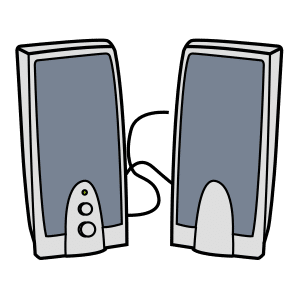 | Loud |
|
| 12 |  | Light |
|
| 13 | 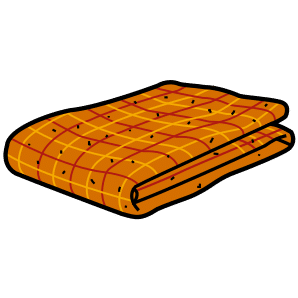 | Blanket |
|
| 14 | 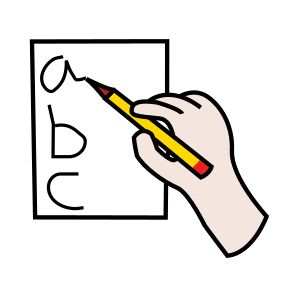 | Write |
|
| 15 |  | Phone |
|
| 16 |  | Glass |
|
| 17 | 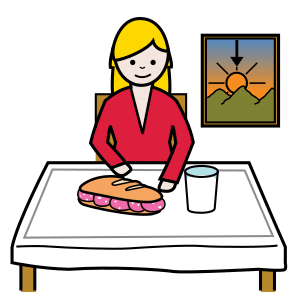 | Snack |
|
Activities
| # | Icon | Label | Suggested words or phrases |
|---|---|---|---|
| 18 |  | Outside |
|
| 19 |  | Reading |
|
| 20 | 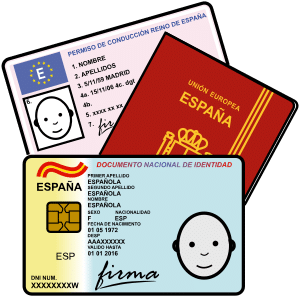 | Cards |
|
| 21 |  | Math |
|
| 21 |  | English |
|
| 22 |  | Singing |
|
| 23 |  | Dancing |
|
| 24 |  | Sports |
|
| 25 |  | Music |
|
| 26 |  | Arts and crafts |
|
| 27 | 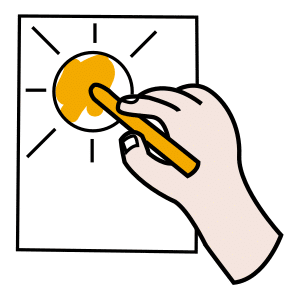 | Paint |
|
Daily Routines
| # | Icon | Label | Suggested words or phrases |
|---|---|---|---|
| 28 | 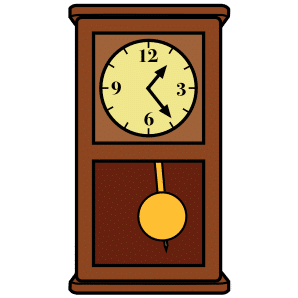 | Time |
|
| 29 |  | Getting dressed |
|
| 30 |  | Meals |
|
| 31 |  | Sweets / Desserts |
|
| 32 |  | Bath / Shower |
|
| 33 |  | Tooth brush |
|
| 34 |  | Medication |
|
| 35 |  | Cup |
|